Now we have two (or more) clones of the web server instance. We can configure HAProxy to route traffic to either instance, such as by using round robin. This is a similar approach to when we configured a Galera cluster in my previous guide.
Current HAProxy setup
- For web traffic to work, it is expected that you already have a back-end pool set up – we will simply need to add your cloned web server into the physical devices and into the back-end pool and configure cookie persistence.
- As a recap, in HAProxy, we distinguish between the following terms:
- Physical server(s) – what port they listen on, what type of service it is
- Back-end pool(s) – which physical server is to be use for this or that back-end
- Condition(s) – e.g. host string
bachelor-tech.com - Rule(s) – e.g. if condition is met, use this back-end
- Public Services / Front-end(s) – that is where rules are matched
Add new web server VM(s) into HAProxy
- When running HAProxy on OPNSense as a plugin, you can get the job done via the web GUI. On OPNSense, go to ‘Services’ → ‘HAProxy’ → ‘Settings’ and click on the ‘Real Servers’ tab. You can clone an existing one or add a new one for the additional web server VM.
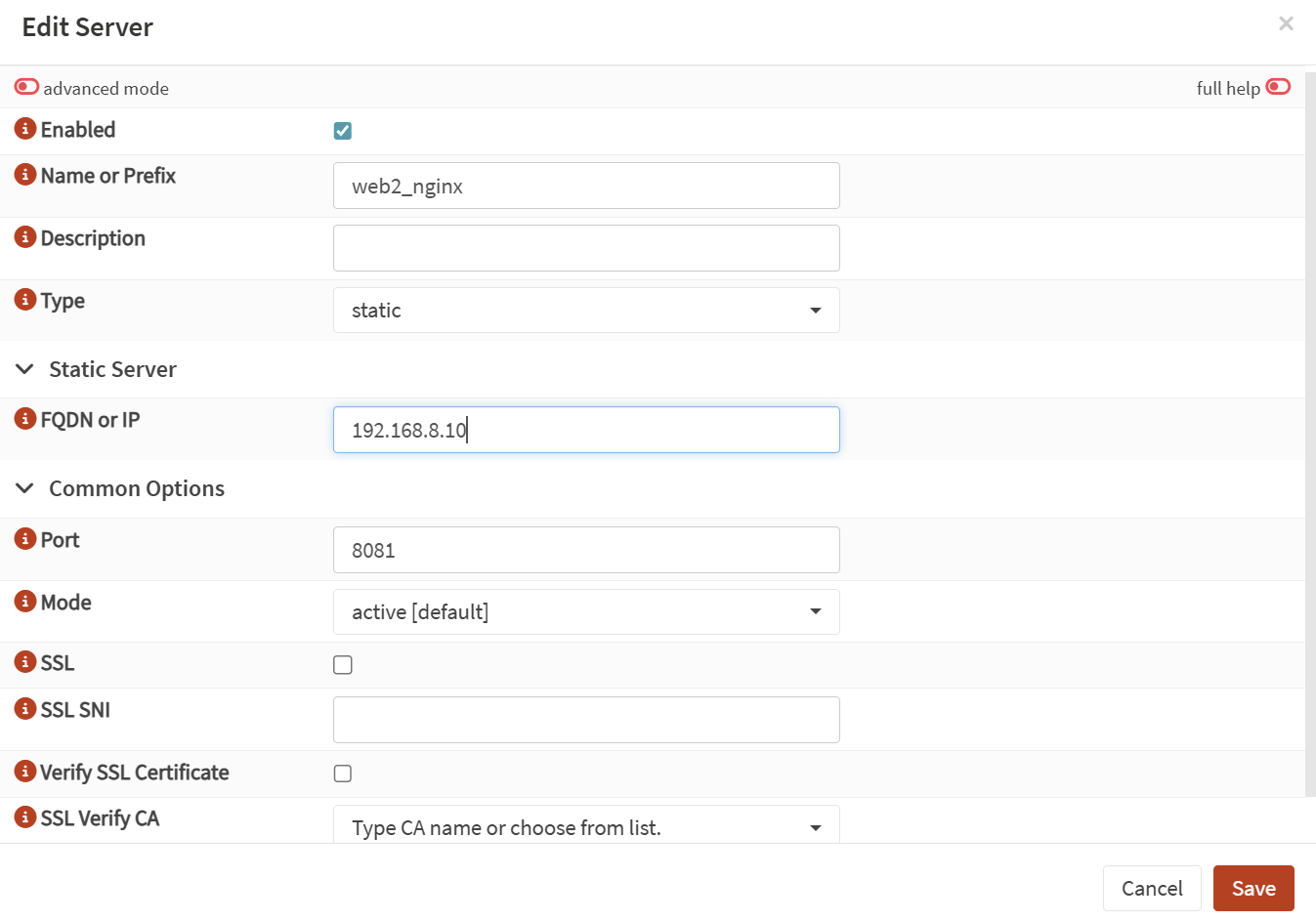
Update your back-end pool
- Add the VM into your back-end pool. From ‘Real Servers’, move to ‘Virtual Services’ → ‘Backend Pools’. Find your existing pool (or create a new one if you are setting up a new web server cluster).
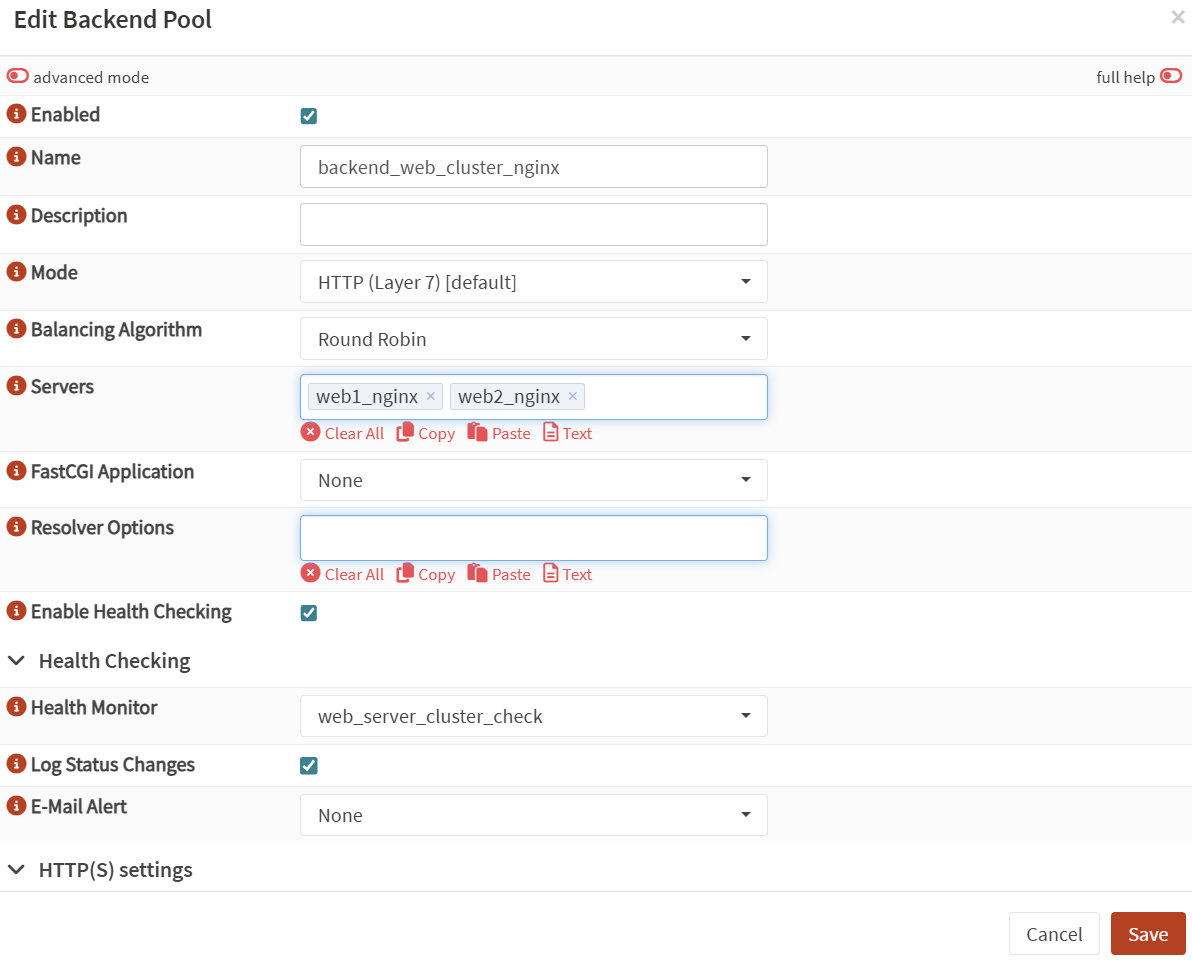
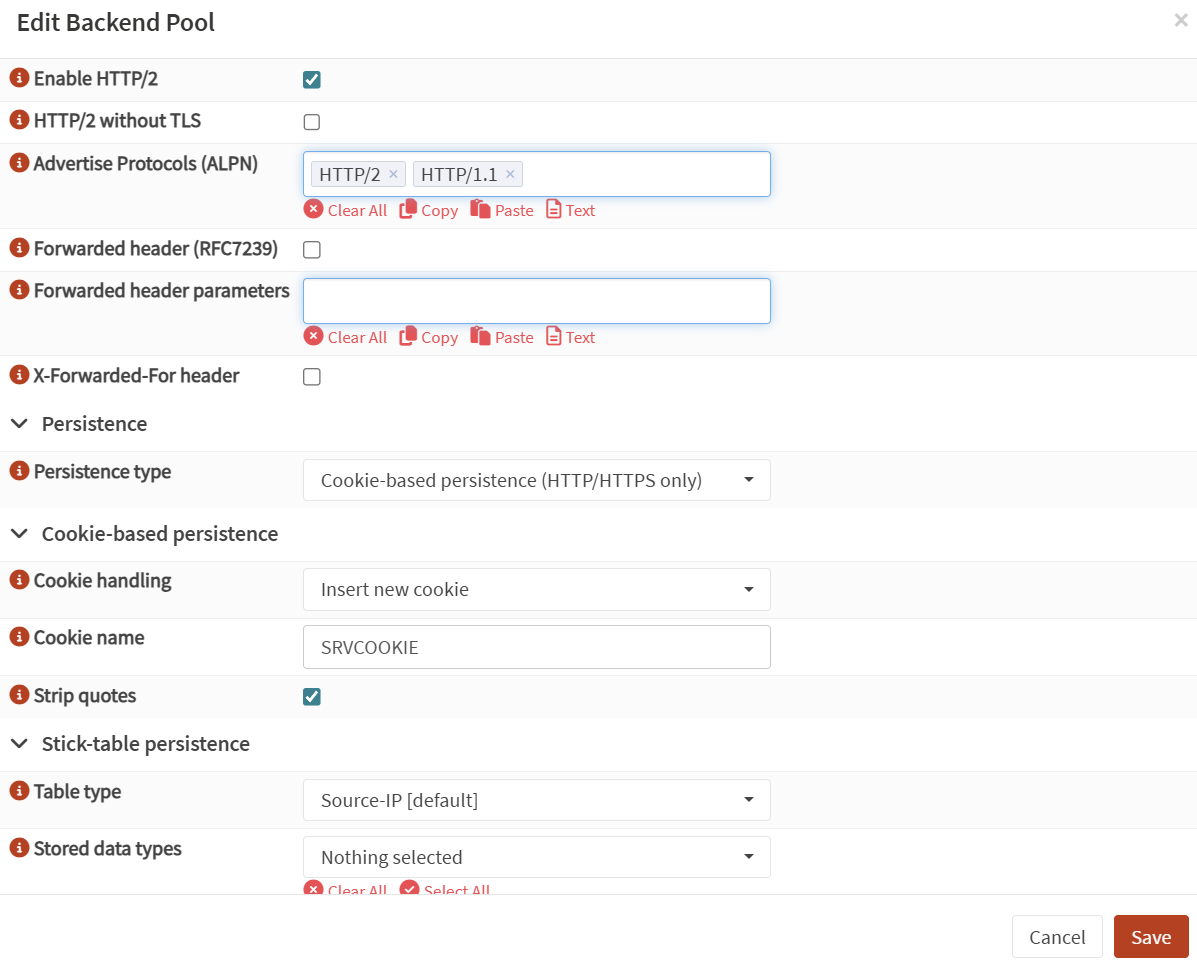
- For session persistence (as uploaded data may take a few seconds to appear on the other web server), we will need to configure
cookie-based persistence, which means that existing connections will be served from the same web server unless that VM becomes unavailable. The rest can be left as default.
Push config from main to backup (OPNSense / pfSync)
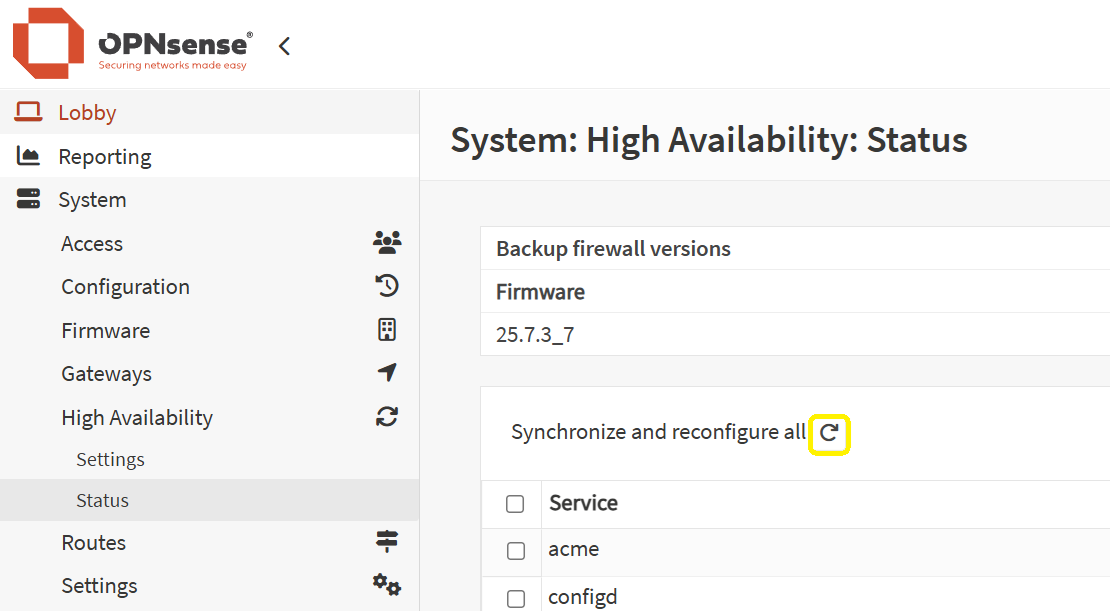
- In case you run your OPNSense or pfSync in a HA cluster, once you are happy with the config, remember to push it from the main node to the backup one(s).
- Go to ‘System’ – ‘High Availability’ – ‘Status’ . Either sync just the services you changed or all of them, as highlighted in the screenshot.
Now with HAProxy being set up, let us finally dive deep into installing Syncthing on all your web servers and ensuring that they sync data with each other!