Now when the workflow is set up and explained, let us look into a few real case scenarios to understand how it works.
Test 1 – High CPU Usage
- I have simulated a situation when in one LXC (container), I ran the following command to trigger a CPU stress test:
stress --vm 1 --vm-bytes $(awk '/MemTotal/{printf "%d\\n", $2 * 0.8}' /proc/meminfo)k --timeout 600
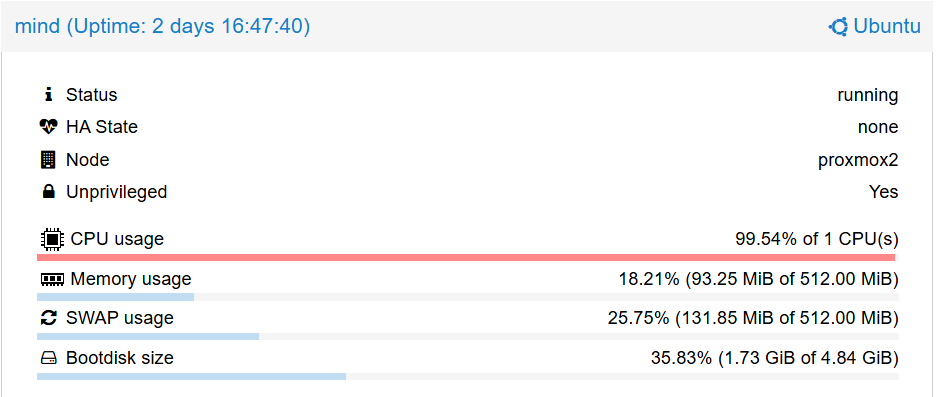
- The CPU started maxing out straight away, as visible in Proxmox:
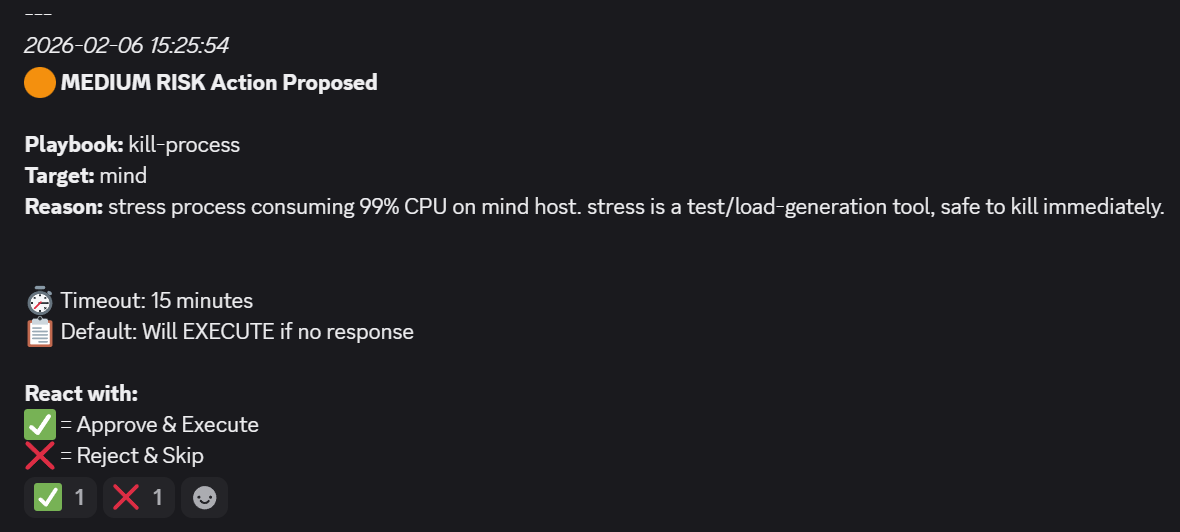
- After a couple of minutes, the workflow in n8n was executed and the result was clear:
- I approved the remediation to go ahead and a job in AWX was triggered:
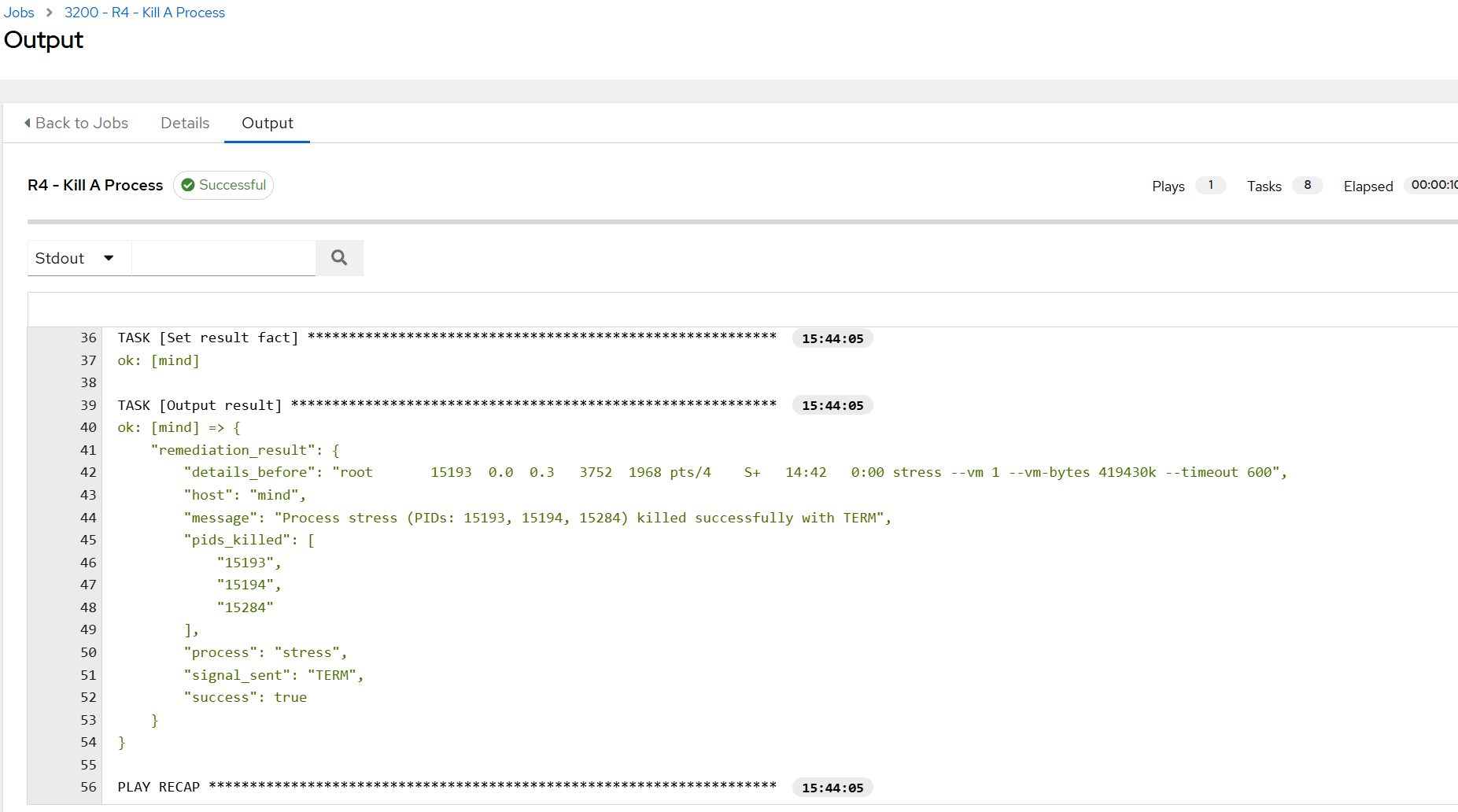
- Since I had the command running in a Terminal, I noticed that it got terminated:

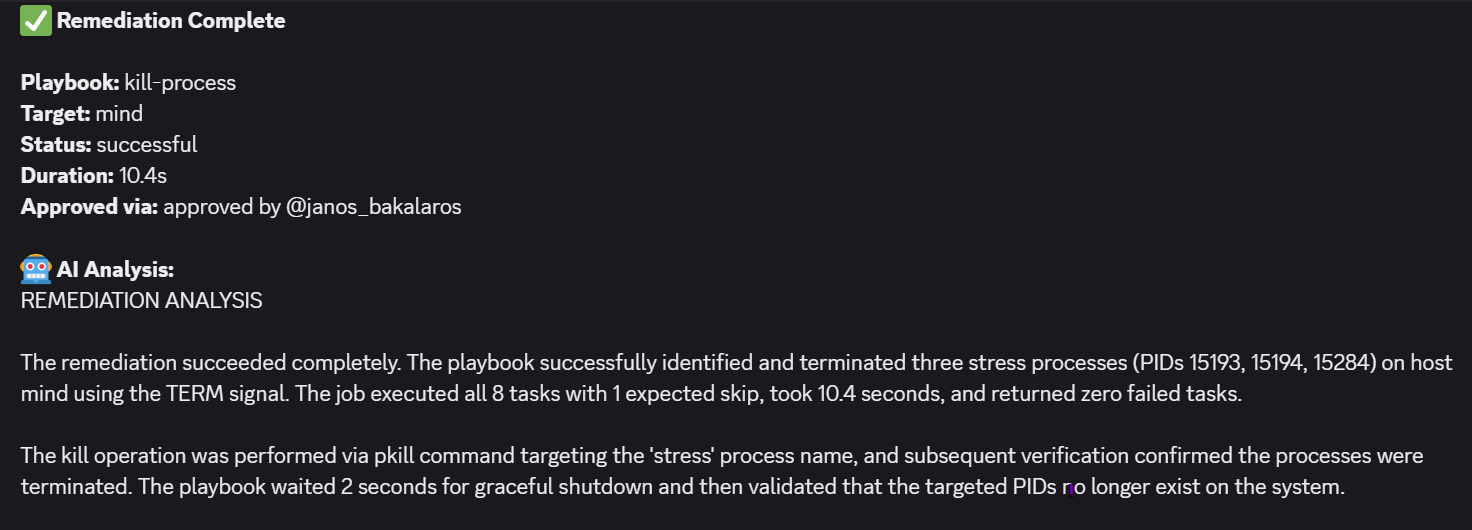
- The Discord message confirmed the findings:
Test 2 – An Inactive Critical Service
- In this scenario, the
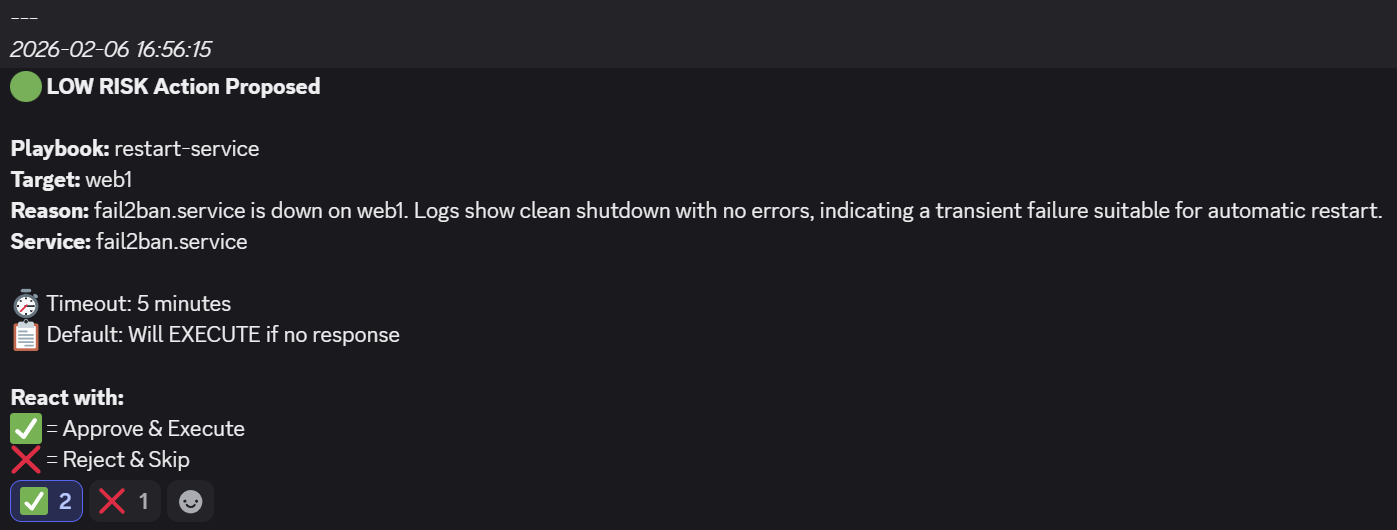
fail2banservice on aweb1VM is made inactive by runningsudo systemctl stop fail2ban. - The workflow picks it up on its next run and offers to restart it automatically:
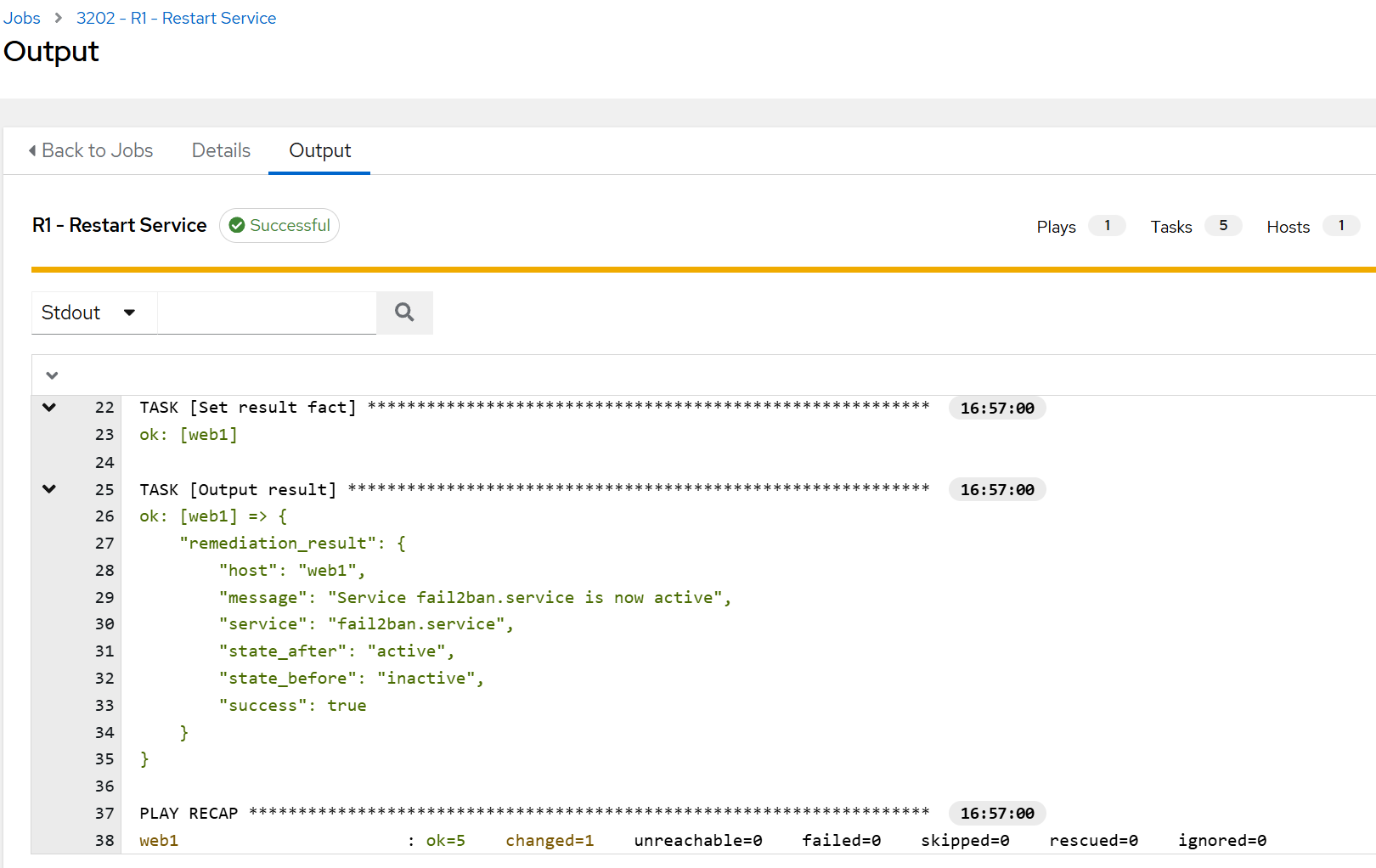
- The workflow triggers an AWX job and confirms that the service is back up:
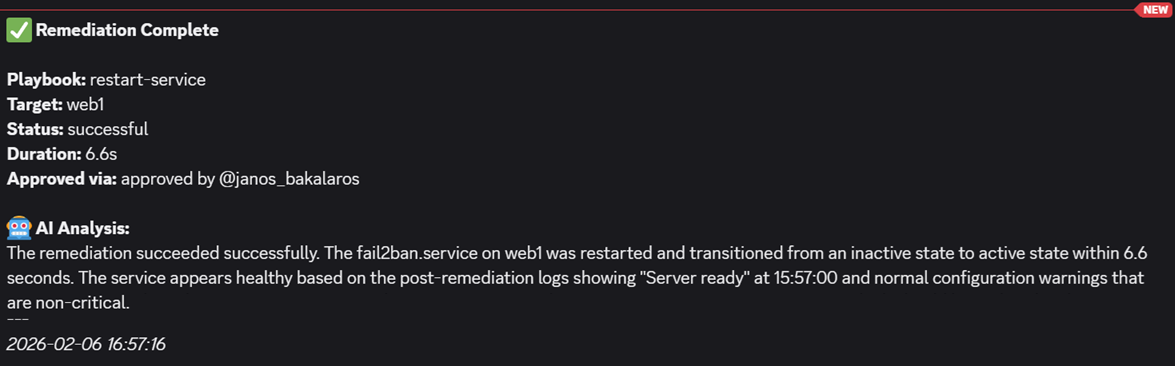
- The result on Discord confirms the findings:
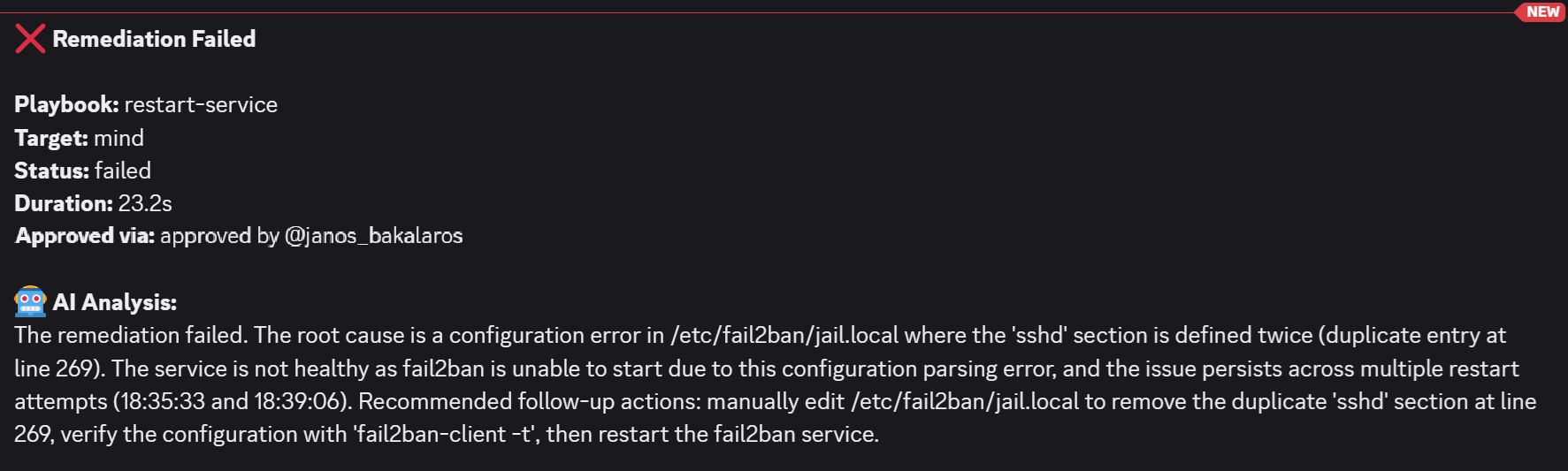
- Now to spice things up a bit, I also made a config error in the
/etc/fail2ban/jail.localfile and then stopped the service. I wanted to see how will AI handle that. As you can see, the analysis explains clearly
Test 3 – Low Disk Space On Proxmox3
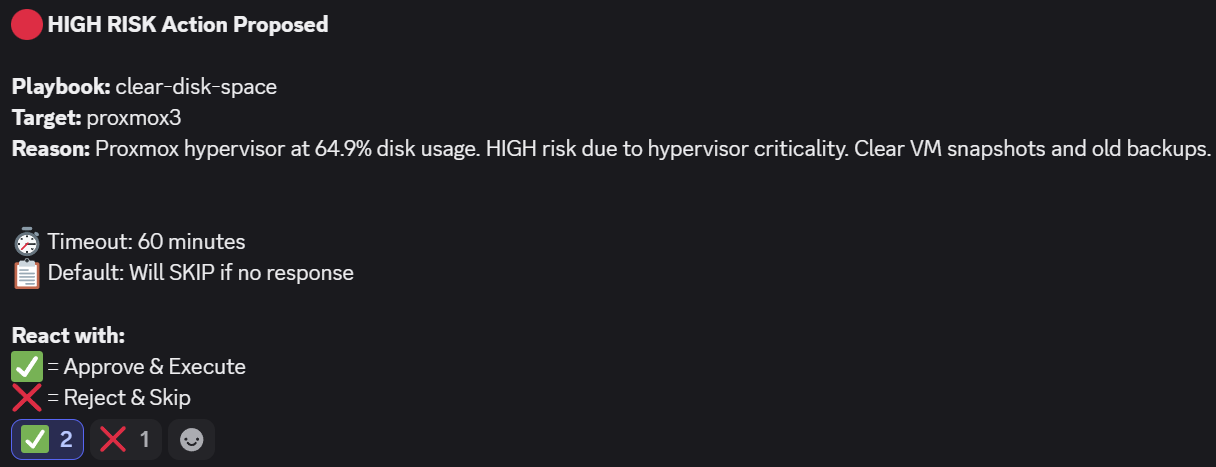
- In test 3, I temporarily lowered the threshold for disk space to get a Proxmox host flagged by the workflow. Due to a definition that any type 1 hypervisor operations are to be considered HIGH risk, AI made the correct judgement. If not approved within an hour, the remediation template would not get executed. I approved it to see what happens.
- The result in AWX revealed that not much could be removed:
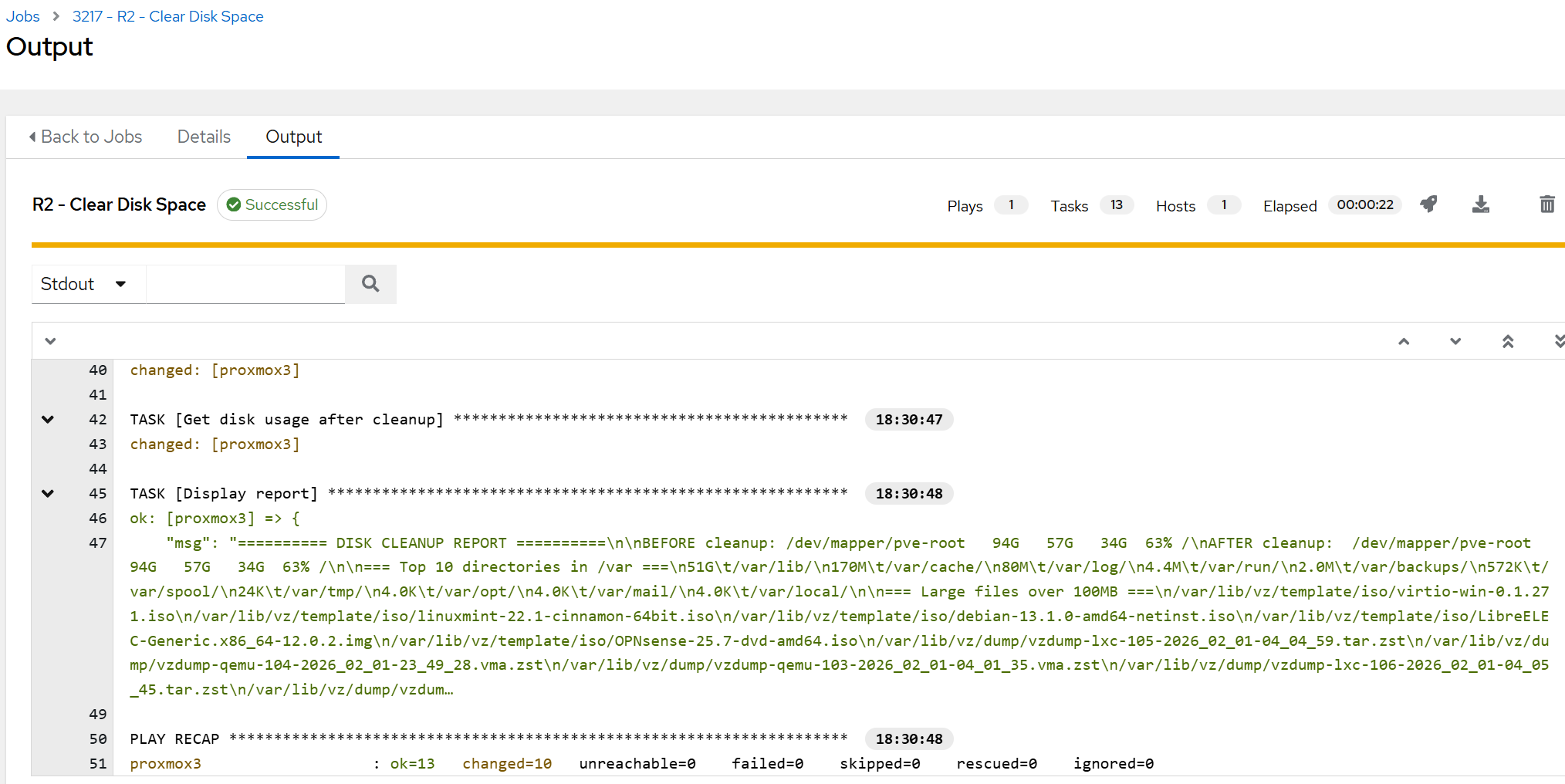
- Our playbook is designed to only remove residual / temporary files, so if the host is filled with ISO images and backups, it would not really do much anyway, as can be seen below.
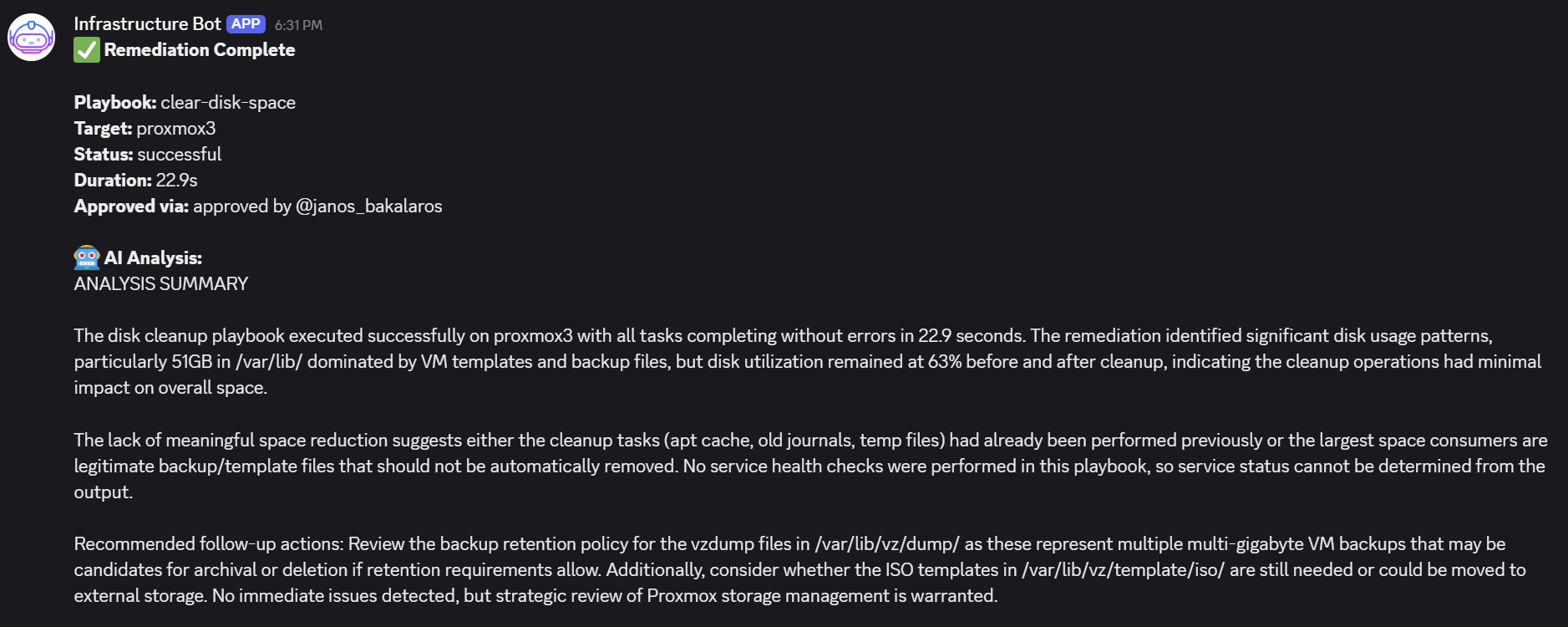
💡 You can easily modify the ‘Message a Model’ node to fit your needs, define exceptions or even remove certain metrics from the Alloy agent monitoring to ensure that a mission critical host will never be affected by the workflow. I have put a placeholder in that node that any changes on a Type 1 hypervisor will be flagged as high risk. This worked during my testing phase but may benefit from more specific guidance and validation.
More tests could be conducted and I did run many in my environment. The three above demonstrate the functionality sufficiently. Now let’s look into what has not been covered in this tutorial from the security perspective and what are other desirable features that could be implemented.