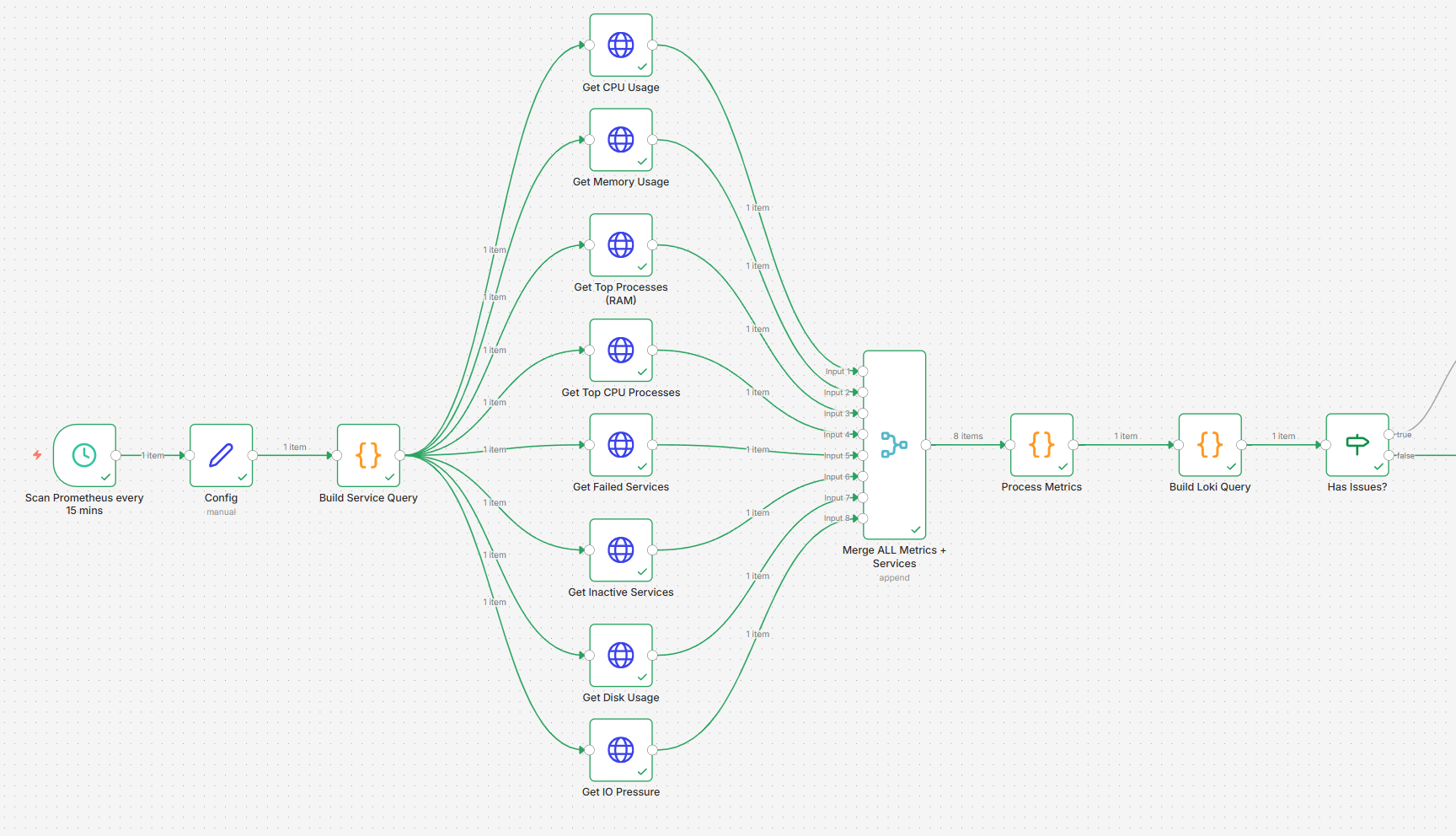
Now to the exciting step, the ‘main meal of the day’ – let’s put it all together! Create a new n8n workflow and import the following file:
Update Your Variables
- In the ‘Config node’, edit all the variables in there to match your environment. This way, you change these values in one node and do not have to worry about changing it in others.
- As per the sticky notes in the workflow, this includes:
- Hosts:Ports → for Prometheus, Loki and Automation platform (AWX / Semaphore UI)
- Discord Channel ID
- Template IDs to match them to the correct jobs
- List of critical services to monitor (what must be ‘active’)
- Timing variables – ignore repeated issues for x hours, how long should Loki look back in the logs.
- Thresholds – CPU, RAM, disk space, IO pressure values.
- Misc – your timezone and limit for AI token number per interaction (default is 1024) – the bot is advised to respond within that limit to ensure that the JSON file arrives complete (otherwise it might get cut off).
Update Your Credentials
- This part is a bit tedious, as you need to add your own credentials for all the hosts and services where you use authentication. Unless there is an easier way that I have not discovered yet, you may need to click through the nodes to ensure that authentication is enabled wherever required.
- Ensure that you cover the following:
- Discord API (not webhook!)
- Prometheus, Loki – if you use any authentication (without by default)
- Anthropic account – if you prefer to use another LLM, change the tile and copy paste the text in it.
💡 When specifying an AWX token, the name needs to be
Authorizationand the Value needs to start withBearer <YOUR_TOKEN>– do not just copy paste the token into it, you need the word Bearer before it.
Summary & Manual Interventions
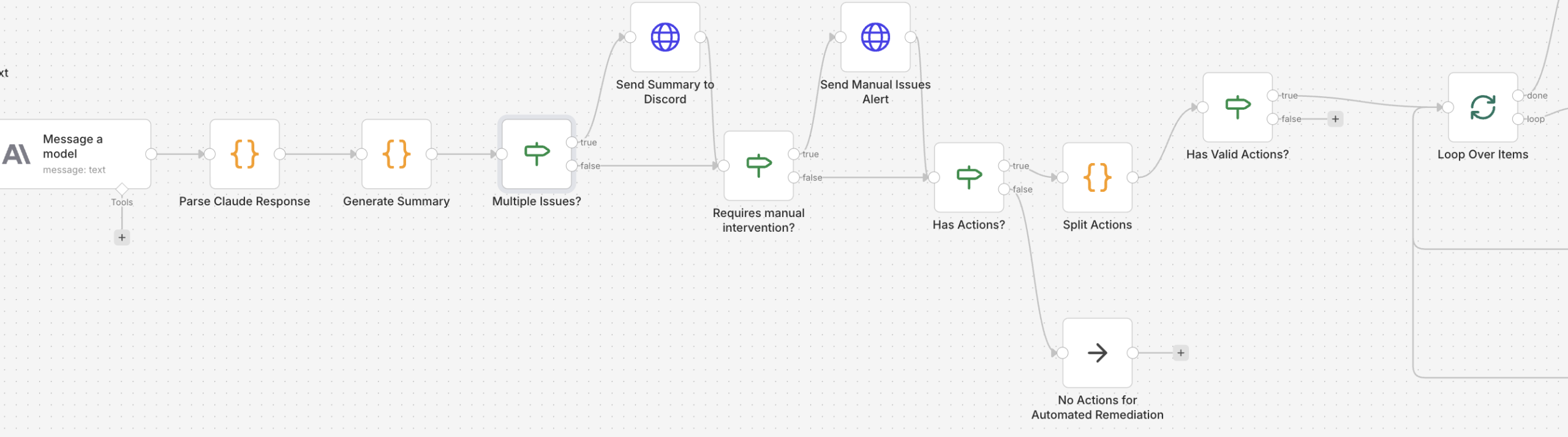
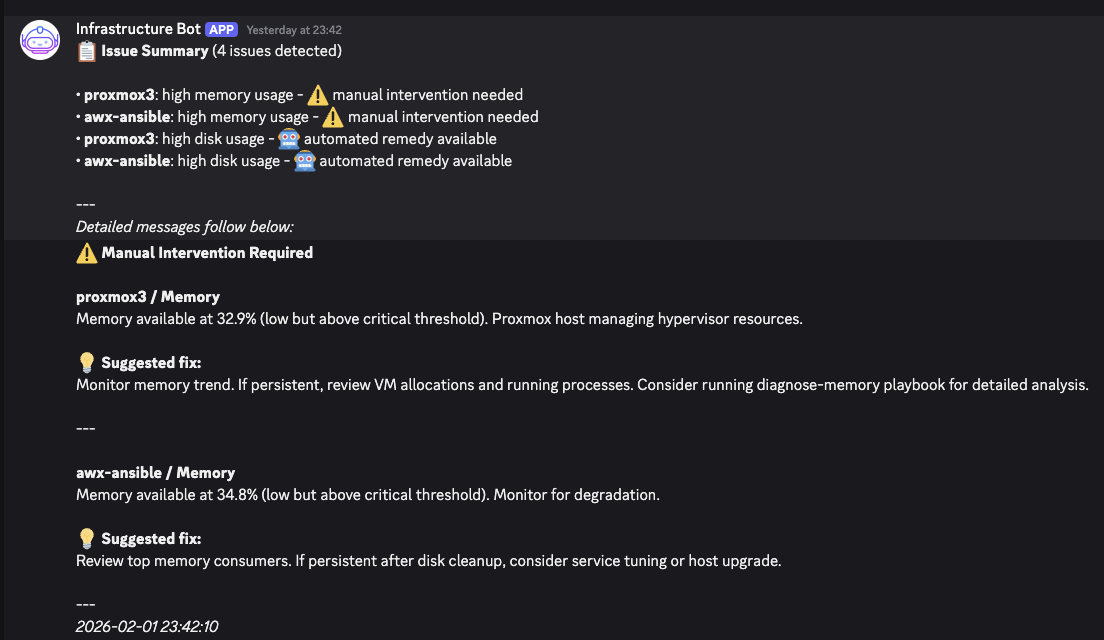
- In this more complex workflow, with more issues being flagged, the list of affected hosts may become overwhelming. For this reason, when two or more issues are found, a summary is sent before diving into each and before the approval workflow kicks in.
- Similarly, some issues may require manual intervention and thus cannot be processed using a pre-defined automated job. Those will be flagged before the approval workflow kicks in with recommended actions (logs from Loki are pulled to provide more accurate information).
- Note: The caching file in the remediation workflow is stored in
/home/node/.n8n/alert-cache.json(instead ofalert-cache-advisory.json).
- Here is an example of what it looks like in practice:
- In case you would prefer it handled differently, you can modify the respective nodes accordingly.
Experience With The Approval Workflow
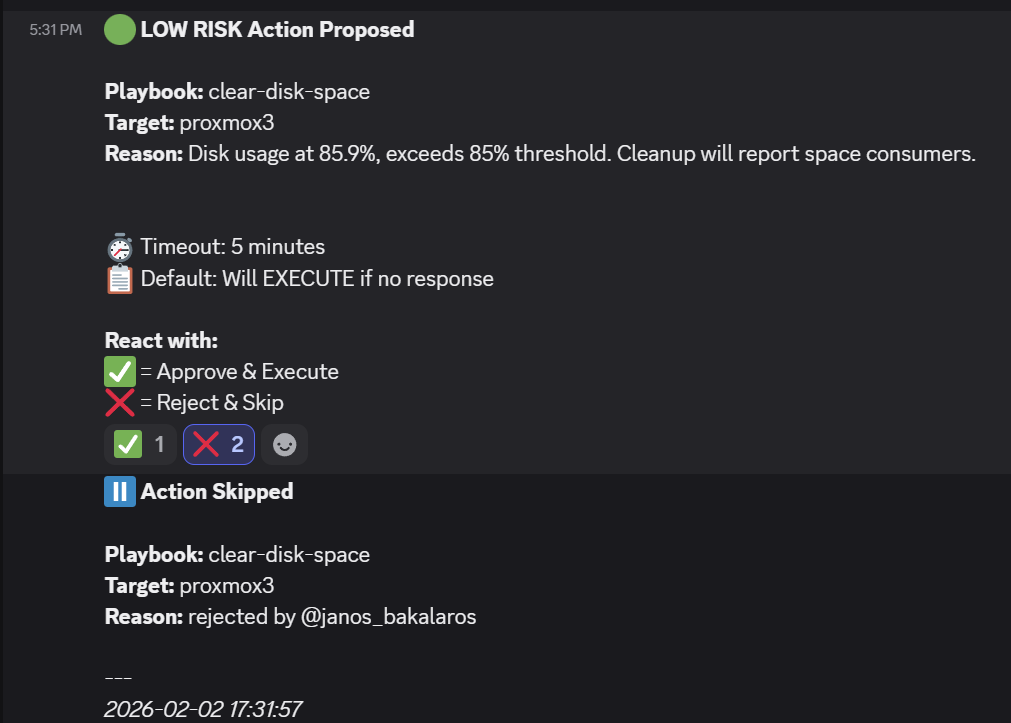
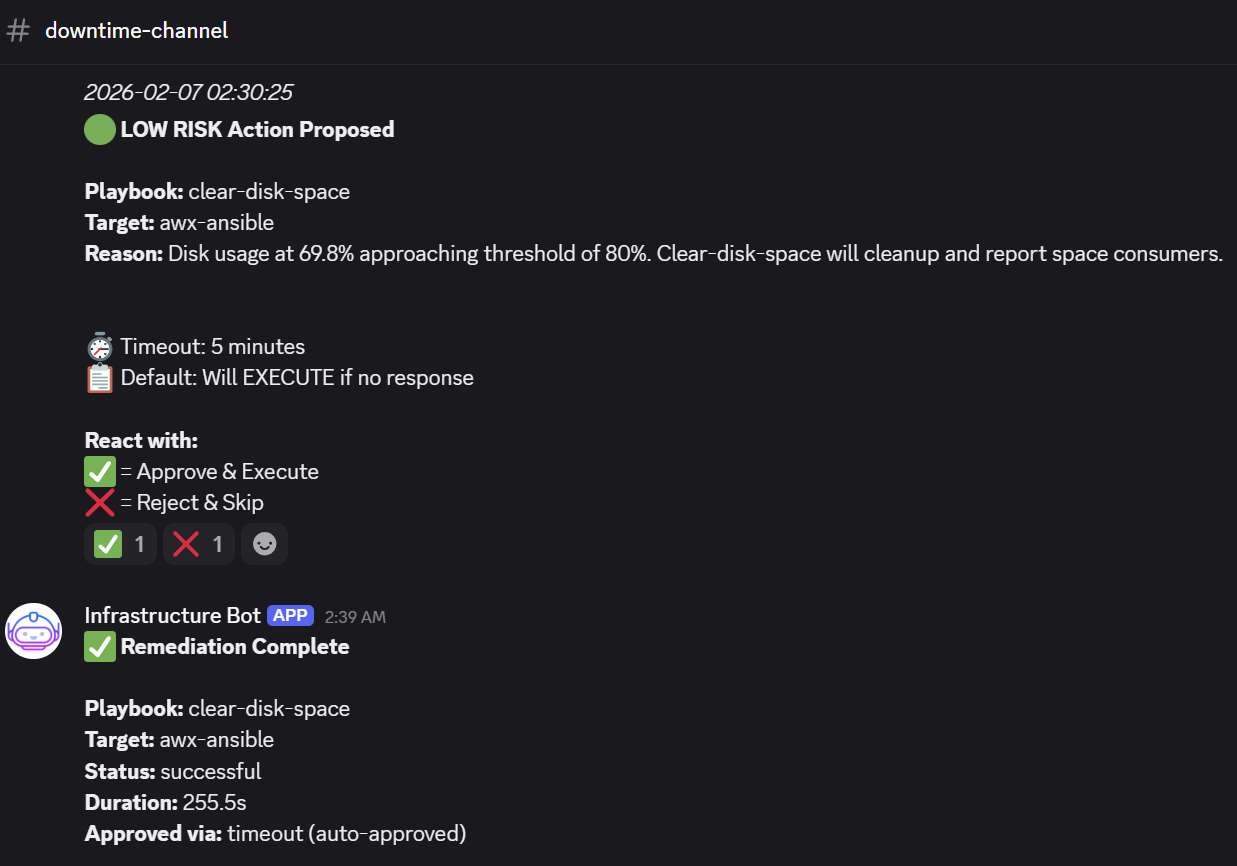
This is the nice touch of this approach – we remain in control of what gets done or not when we approve it, reject it or leave it to time out.
- An example of a low-risk item that is rejected:
- An example of low risk item that is timed out and thus carried out (high CPU usage):
With variables and credentials being set up and with taking into account how the approval workflow works, we can proceed with some real tests!